CLI Calling
Command-line interface calling features for enhanced development workflows
Infinite Tasks Timeout
Stop runaway commands before they consume your resources.
The agent lets you set a timeout for commands. This helps automatically stop commands that might run forever, like a development server.
For example:
devserver | head -50No additional details for this agent.
Claude Code has separate modes for long-running processes (like dev servers) and finite commands (like ls).
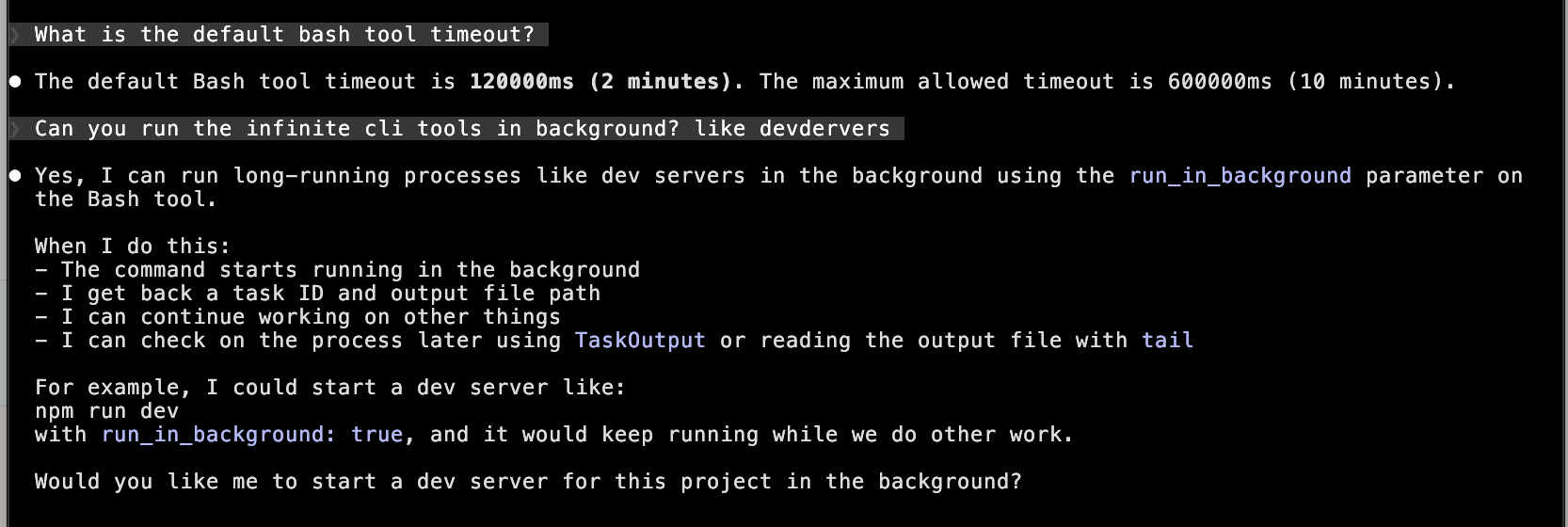
The default timeout is 2 minutes, with a maximum of 10 minutes. For long-running processes such as dev servers, file watchers, or test runners in watch mode, Claude Code provides a special run_in_background flag in its built-in bash tool.
No additional details for this agent.
No additional details for this agent.
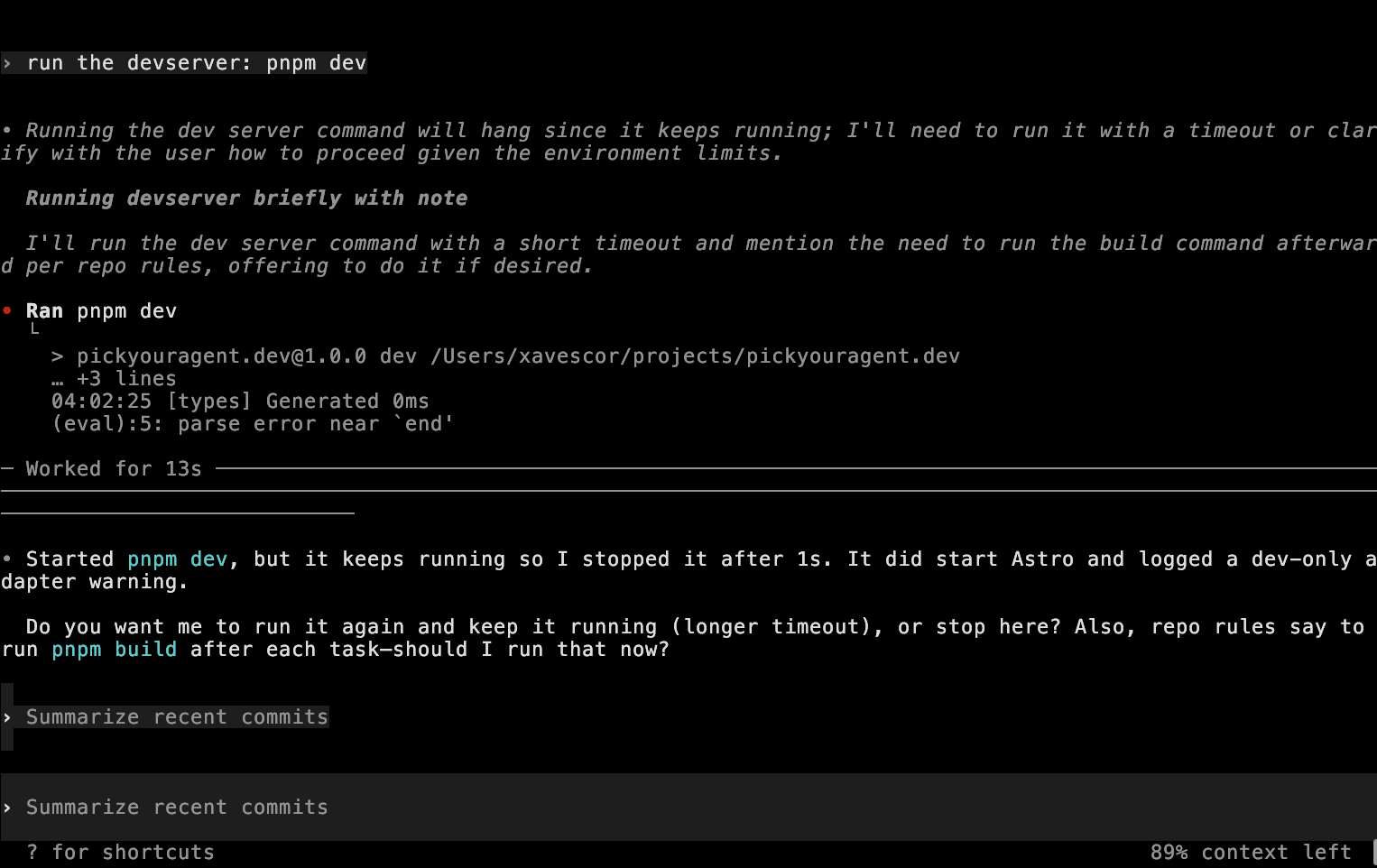
Codex cannot run long-running processes such as dev servers indefinitely. When executing commands that keep running (like pnpm dev), Codex will automatically stop them after a short timeout.
No additional details for this agent.
Processes Explorer
Manage stuck processes from your pipeline.
Sometimes agents create zombie or stuck processes while running a pipeline. If these are not cleaned up, they can use resources and interfere with later runs. This feature helps you find and manage such processes created by this pipeline, rather than showing all system processes.
Features:
- Shows all processes started by the pipeline
- Lets you check the status of each process
- Allows you to end or kill stuck/zombie processes
- Displays resource usage for these processes
- Helps you identify and stop anything the agent leaves running
No additional details for this agent.
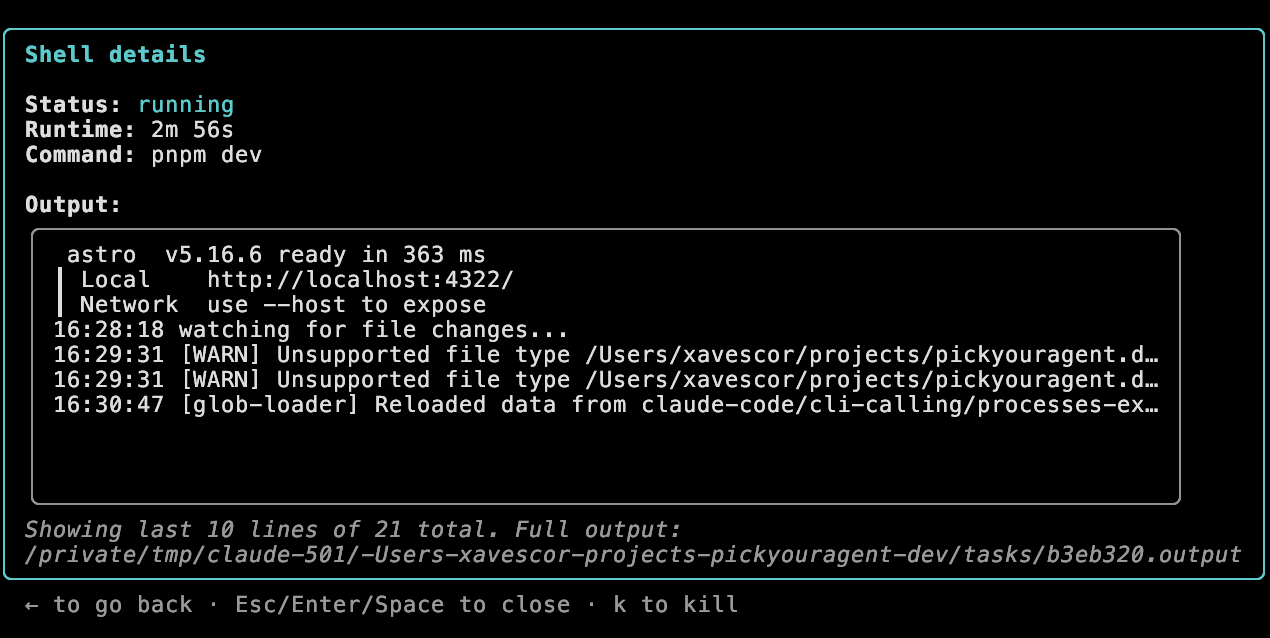
Claude Code can run tasks in the background and display them. You can view shell details including status, runtime, command, and output. You can also kill processes using the k shortcut.
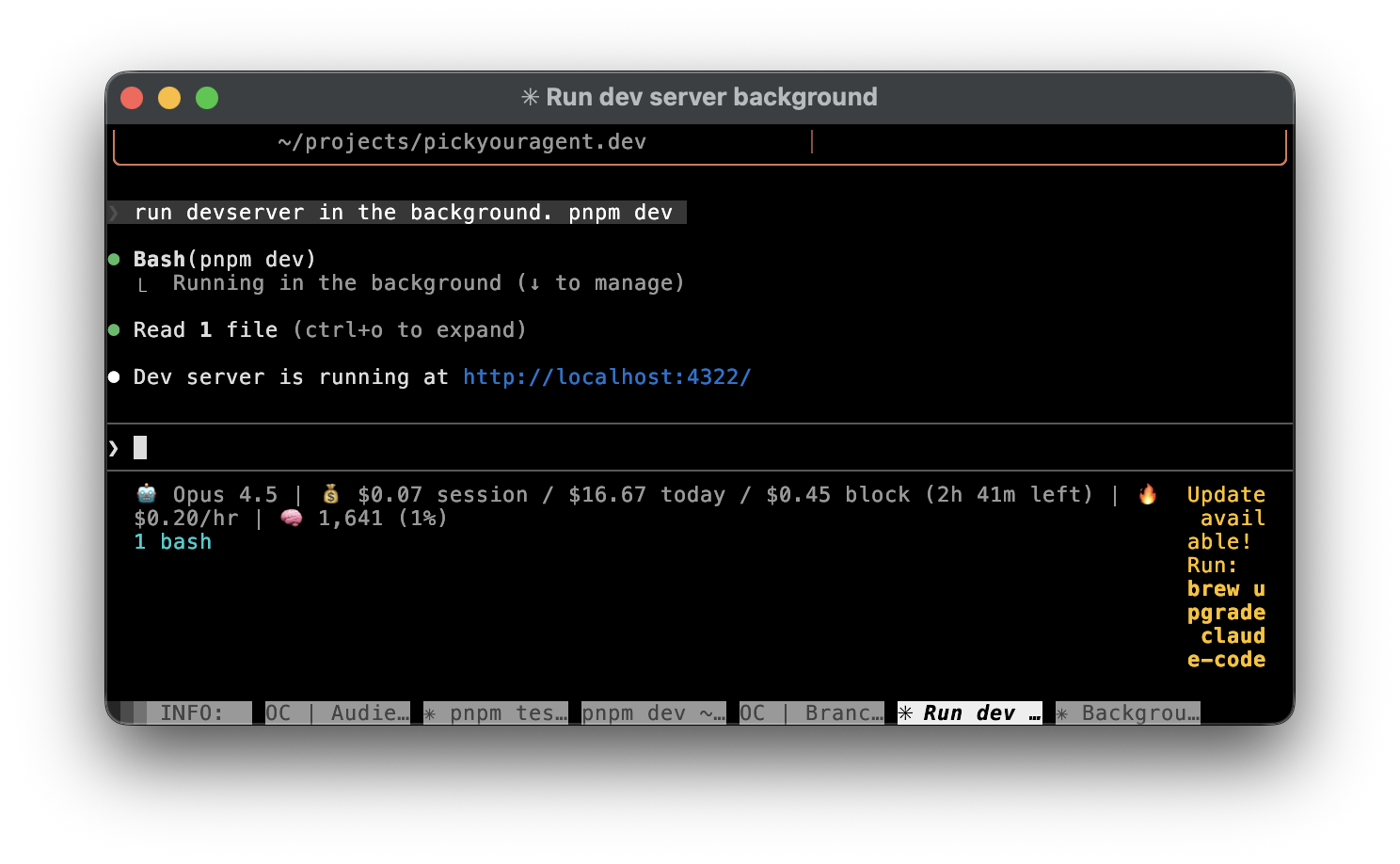
If you want to manage already run processes, just type /bashes or /tasks.
No additional details for this agent.
No additional details for this agent.
Codex cannot run long-running processes such as dev servers indefinitely. There is no built-in interface to view or manage background processes, as Codex automatically terminates them after a short timeout.
No additional details for this agent.